


BabyBus Kids: Play & Learn
4.789.00 Reviews
App Specs
- Version
- 3.2.3.0
- Updated On
- License
- Free
- Downloads
- 10,000,000+
- Developer
- BabyBus
- Categories
- Educational
- Platform
- Android, iOS
Screenshots



 Analysis by AppCompare
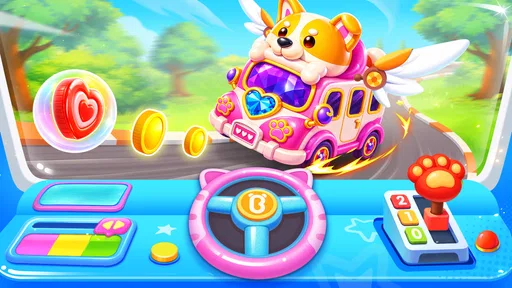
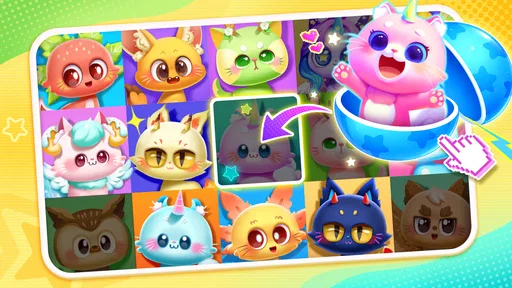
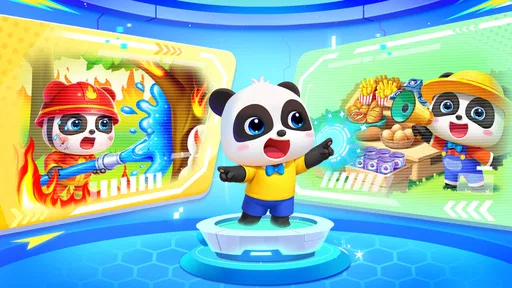
I tend to judge a children’s learning app by what happens after the first burst of excitement: can a child find something to do without constant adult help, and can a parent tell whether the screen time is serving a purpose? BabyBus Kids: Play & Learn is a broad collection of play and learning activities from BabyBus, with games and cartoons alongside themed material such as food, shopping, dress-up and vehicles. That variety is its main appeal, though it also means the experience is less like a single, carefully sequenced course and more like a shelf of different activities.
Finding a comfortable way to play
I find it helpful to think about the child’s comfort before choosing an activity: a familiar theme, an unhurried moment, and an adult nearby can make exploring feel easier. That approach also gives me a chance to notice which kinds of play suit the child best, rather than assuming every activity will work equally well.
Readability and navigation
For a young child who is not yet comfortable reading, a visual menu can make the difference between independent play and repeatedly calling for help. The original review describes large icons and a clear layout, and that is the right quality to look for here: children can often recognize a familiar picture before they can read its label. I would still expect to show a child how to return to the activity selection and choose something else before handing over the device. A quick demonstration at the start can prevent aimless tapping later.
The mix of subjects is useful when a child’s attention shifts quickly. A child who is not interested in a number activity may be more willing to try a story, a pretend shopping scenario or a vehicle-themed game. The trade-off is that a large menu can feel busy to a child who prefers one clear next step. I would use the app as a choice-based play space rather than assume it will guide every child through a steady learning sequence.
Its educational-game category is a good fit for short, informal practice, but it is not a substitute for an adult explaining a difficult idea or for a structured lesson. When a child gets stuck, sitting beside them and asking what they think the game is asking can turn a tap-through moment into a useful conversation. That small bit of shared attention is more valuable than expecting the app to teach every concept on its own.
Motor and sensory considerations
Bright colors, animation, sound and touch-based play can make activities inviting, but they can also be a lot to process. Children who enjoy lively visual feedback may find that energy motivating; a child who is sensitive to movement or sound may prefer a quieter moment, lower device volume or a different activity. I would watch the child’s response instead of assuming that one presentation style suits everyone. A game that holds one child’s attention may frustrate another, even when both are the intended age group.
Touch interactions also vary in difficulty. A child still developing precise hand control may find small targets or quick actions harder than broad, deliberate taps. Rather than treating a missed action as a failure, I would try one activity together and notice whether the child can comfortably make the required gestures. If not, choosing a simpler-feeling activity or playing side by side is a sensible adjustment. The Everyone age rating describes the content audience; it does not guarantee that every task will be equally easy for every child.
Worth Reading Before You Choose

Baby Panda World Brings Quick Play to Modern Phones, but Its Game Library Feels Busy

ESPN’s Live Game View Makes Following Close Games Easier

QuizzLand Review: A Good Fit for Short Trivia Breaks, Not Every Player

Basketball Stars: Multiplayer Is Fast, but Can It Recover When Matches Go Wrong?

WEBTOON Turns Phone Updates Into a Better Reading Routine

Link to Windows Runs on Shared Habits, Not Social Feeds
Stories and music offer a different pace from quick game actions. They can work well when a child wants to listen or watch with an adult nearby, while an interactive puzzle may suit a child who wants to make choices. Having several kinds of activity gives families room to match the moment, but it also makes it worth checking what a child is opening rather than leaving the app to run unattended for a long stretch.
When and where it fits
A realistic use for me would be a short wait at an appointment or a quiet stretch before dinner: I would let a child choose one activity, agree on a stopping point, and then talk about what they played afterward. That keeps the app as a small part of the day rather than the default answer to every bored moment. At home, a parent can sit nearby and use a story or pretend-play theme as a starting point for conversation; on the move, the same variety may be handy, provided the child has a comfortable place to use the device.
Before relying on it away from home, I would open the app in advance and check that the activity I have in mind is ready to use. This is a practical habit for any app with a wide catalogue: it avoids discovering at the moment you need a distraction that a child is still browsing or that the chosen activity is not immediately available. I would also keep an eye on transitions. Moving from a lively game to putting the device away can be harder than choosing the game, so a clear time limit and a warning before stopping can help.
For families comparing it with a single-purpose alphabet, counting or reading app, the choice comes down to breadth versus focus. BabyBus offers a varied set of themes, which can help when a child’s interests change from day to day. A dedicated learning app may be a better match when a parent wants one narrow skill practised in a predictable order. Likewise, a physical picture book or hands-on toy is preferable when the goal is a screen-free activity or when a child responds better to real objects and shared play.
What parents should weigh
The game is free to download, but it includes optional in-app purchases priced from $2.99 to $41.99 per item. I would check the purchase controls on the device before letting a child explore independently, and explain that choosing an activity does not mean buying anything. This matters especially in a collection with several appealing themes: a child may naturally ask for more content, so agreeing on the family’s rules in advance avoids an awkward surprise.
BabyBus Kids: Play & Learn is rated for Everyone, has more than 10 million installs, and holds an average rating of 3.8 from around 27,000 ratings. Those figures suggest that many families have tried it, but they are not a substitute for seeing how your own child responds. The game was released on October 28, 2021, and its current version is 3.1.15.0; it requires Android 5.0 or later. For parents choosing an Android device, that minimum requirement is a useful compatibility check before downloading.
There are limits to what a broad children’s app can do. A collection of games and cartoons can offer variety, but it may not provide the consistency a child needs to practise one skill repeatedly, and adults may need to help steer the choice. Children who are easily overstimulated, who struggle with touch controls, or who do best with a predictable routine may be happier with a calmer, more focused alternative. I would also avoid treating any app as a babysitter: occasional check-ins help ensure the activity remains comfortable and age-appropriate for the particular child.
Inclusive verdict
If you're on the hunt for an app that keeps your little ones entertained while also educating them, look no further than BabyBus Kids: Play & Learn. As a parent myself, I know how crucial it is to find apps that are not just fun but also educational. This app is a delightful mix of both, and I'm excited to share my experience with you.
The first thing that struck me about BabyBus Kids: Play & Learn is the sheer variety of content available. From interactive stories to math games, this app covers a broad spectrum of subjects in a way that's tailored for young minds. The developers have done a splendid job of creating content that is not only educational but also incredibly engaging. I found my kids glued to the screen, learning without even realizing it.
One of the features I love the most is the interactive storybooks. These are beautifully illustrated and come with a narration option, which is perfect for kids who are still learning to read. The stories are not just tales but are woven with moral lessons that are subtly integrated into the narrative. It's a great way to instill values while keeping them entertained.
User-Friendly Interface
When it comes to kids' apps, a simple and intuitive interface is a must. BabyBus Kids: Play & Learn shines in this department. The navigation is straightforward, with large icons and a clear layout that makes it easy for kids to find their favorite games and activities. My little ones had no trouble at all figuring out how to move from one game to another, which speaks volumes about the app's user-friendly design.
The app is designed to be visually appealing without being overwhelming, which is a fine line to walk. The colors are vibrant, and the animations are smooth, capturing the attention of children and keeping them engaged for long periods.
Customizable Learning Paths
Another standout feature is the customizable learning paths. As a parent, you can tailor the learning experience to suit your child's needs. Whether they need to focus more on numbers or letters, you can adjust the settings to provide a personalized learning journey. This adaptability ensures that the app grows with your child, offering new challenges as they develop.
Additionally, there are progress reports that allow you to track your child's learning journey. This feature gives you insights into which areas they are excelling in and where they might need a little more help. It's a wonderful tool for parents who are keen on being actively involved in their child's education.
Entertainment Meets Education
Let's be honest—keeping kids entertained is no easy feat. BabyBus Kids: Play & Learn manages to strike the perfect balance between entertainment and education. The games are designed to be fun first and educational second, which is exactly what you want in a kids' app. My children particularly enjoyed the music games, where they could create their own tunes while learning about different musical instruments.
The app also includes a variety of mini-games that focus on developing cognitive skills, such as memory and problem-solving. These games are a hit with my kids, who love the challenge and the sense of achievement they get when they solve a puzzle or complete a level.
Final Thoughts
In a world flooded with apps, finding one that is both educational and fun can be like finding a needle in a haystack. However, BabyBus Kids: Play & Learn checks all the right boxes. It's a fantastic tool for parents who want their kids to learn while having a blast.
If you're looking for an app that offers a well-rounded educational experience, this is definitely worth a try. It's one of those rare finds that keeps the kids happy and the parents satisfied, making it a staple on any parent's device. So go ahead, give it a shot, and watch your child's love for learning blossom!
Pros
- Educational content that's fun and engaging.
- Colorful graphics keep kids attentive.
- Wide variety of activities available.
- Simple interface for young users.
- Regular updates with new content.
Cons
- In-app purchases can add up quickly.
- Requires internet for some features.
- Ads may interrupt gameplay.
- Some games lack depth and complexity.
- Limited parental controls available.
FAQs for BabyBus Kids: Play & Learn
What age group is BabyBus Kids: Play & Learn suitable for?
BabyBus Kids: Play & Learn is designed for children aged 0-8 years. The app offers a range of activities and games that cater to early learning stages, including basic math, language skills, and cognitive development. Parents can rest assured that the content is both educational and engaging for young children.
Does BabyBus Kids: Play & Learn require an internet connection?
While some features of BabyBus Kids: Play & Learn can be enjoyed offline, others may require an internet connection. This includes downloading additional content and accessing certain interactive features. It's advisable to check specific activities within the app to determine if internet access is necessary.
Are there in-app purchases in BabyBus Kids: Play & Learn?
Yes, BabyBus Kids: Play & Learn includes in-app purchases. While the app offers a variety of free content, additional features and activities may require payment. Parents should be aware of these options and manage settings accordingly to prevent unauthorized purchases by children.
Is BabyBus Kids: Play & Learn safe for my child to use?
BabyBus Kids: Play & Learn prioritizes child safety with age-appropriate content and parental controls. The app is designed to be child-friendly, with no inappropriate advertisements or content. Parents can also set usage limits and monitor their child's activity to ensure a safe learning environment.
How often is BabyBus Kids: Play & Learn updated with new content?
The developers of BabyBus Kids: Play & Learn regularly update the app with new content and improvements. These updates often include new games, activities, and educational materials to keep the experience fresh and engaging for children. It's recommended to enable automatic updates to ensure access to the latest features.


